
Archive a Lookup
Archiving a Lookup allows you to remove it from the platform's default search results without actually deleting the Lookup. This action helps keep your workspace organized, while retaining the Lookup for future reference or reactivation.
To archive a Lookup:
-
Select Rules from the top navigation bar, then select Lookups from the side navigation menu. The Lookups screen is displayed.
-
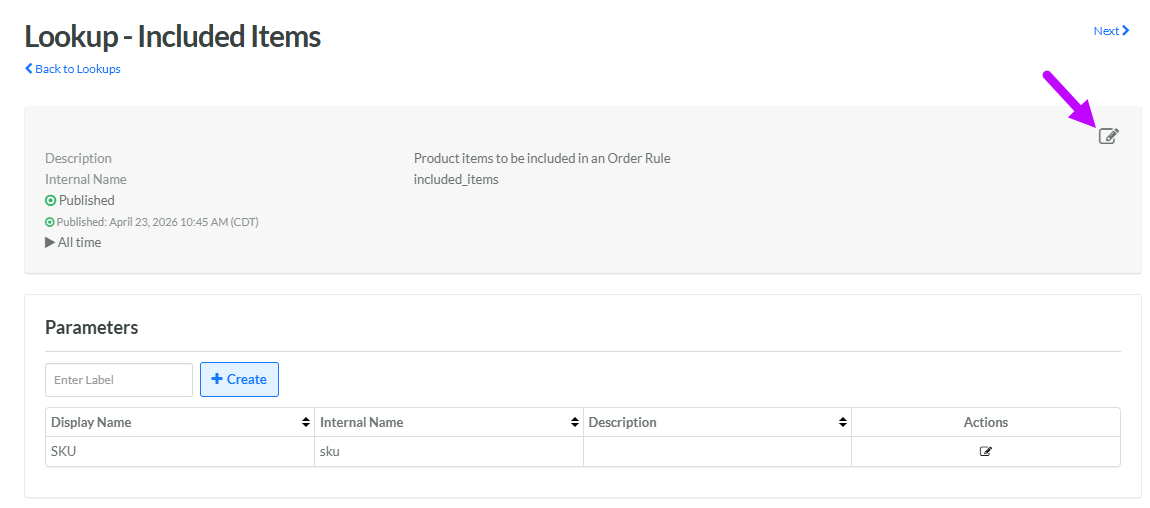
Search for and select the desired Lookup (see Search for a Lookup for more information on the available search options). The Lookup Details screen is displayed.
-
Within the header area, click the Edit icon. The Edit Lookup pop-up window is displayed.
-
From the Status drop-down menu, select Archived.
-
Click Save.
If this Lookup had a status of Published, you must deploy metadata for the changes to take effect. See Deploy Lookup Metadata for more details on this process.
